Your AI-Powered Interview Preparation Tool

Practice coding problems, system design with architecture diagrams, and verbal interviews in 20+ languages. Get instant, expert-level answers powered by premium AI models.

Available on macOS and Windows • Free to start • Pro $15/mo
Download for Mac Download for Windows
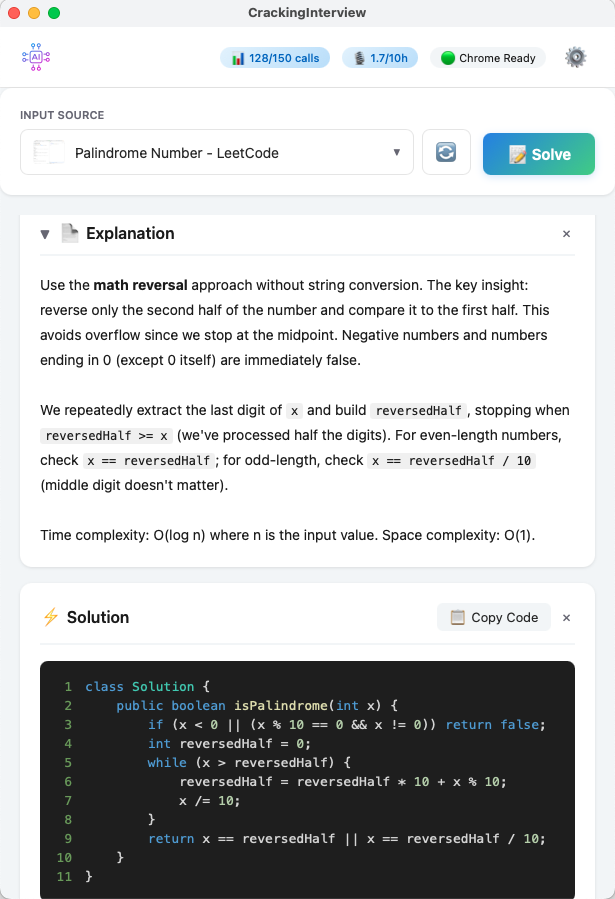
CrackingInterview — AI explanation and code solution for an interview problem

See It in Action

Watch a quick walkthrough of CrackingInterview solving real interview problems.

Built for Every Interview Type

From algorithm puzzles to system design and live verbal interviews.

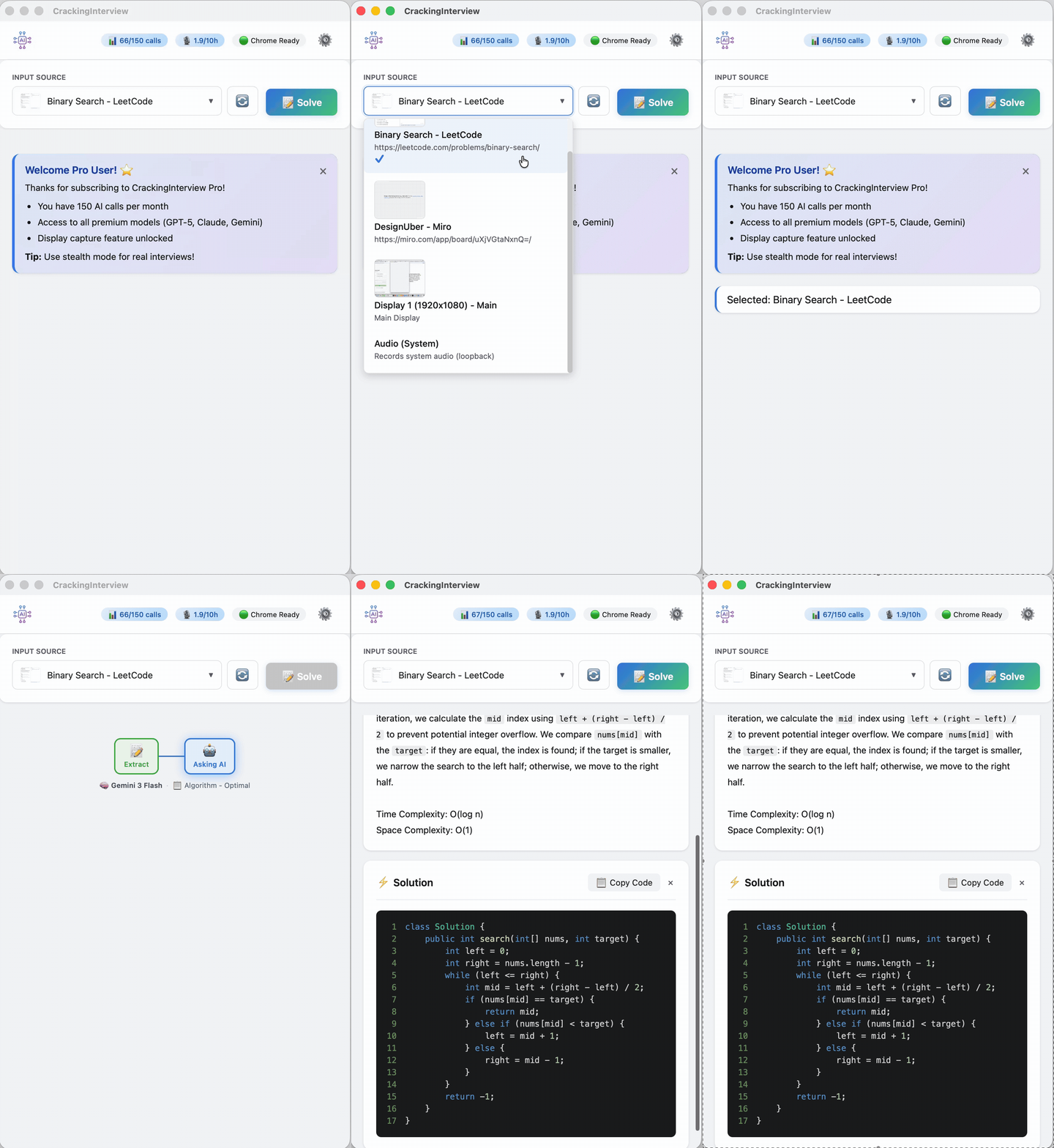
Algorithm problem — AI explanation and solution code
Algorithm

Coding Problems

Extract text or capture a screenshot from LeetCode, HackerRank, or any site. Get optimal solutions with step-by-step explanations and complexity analysis.

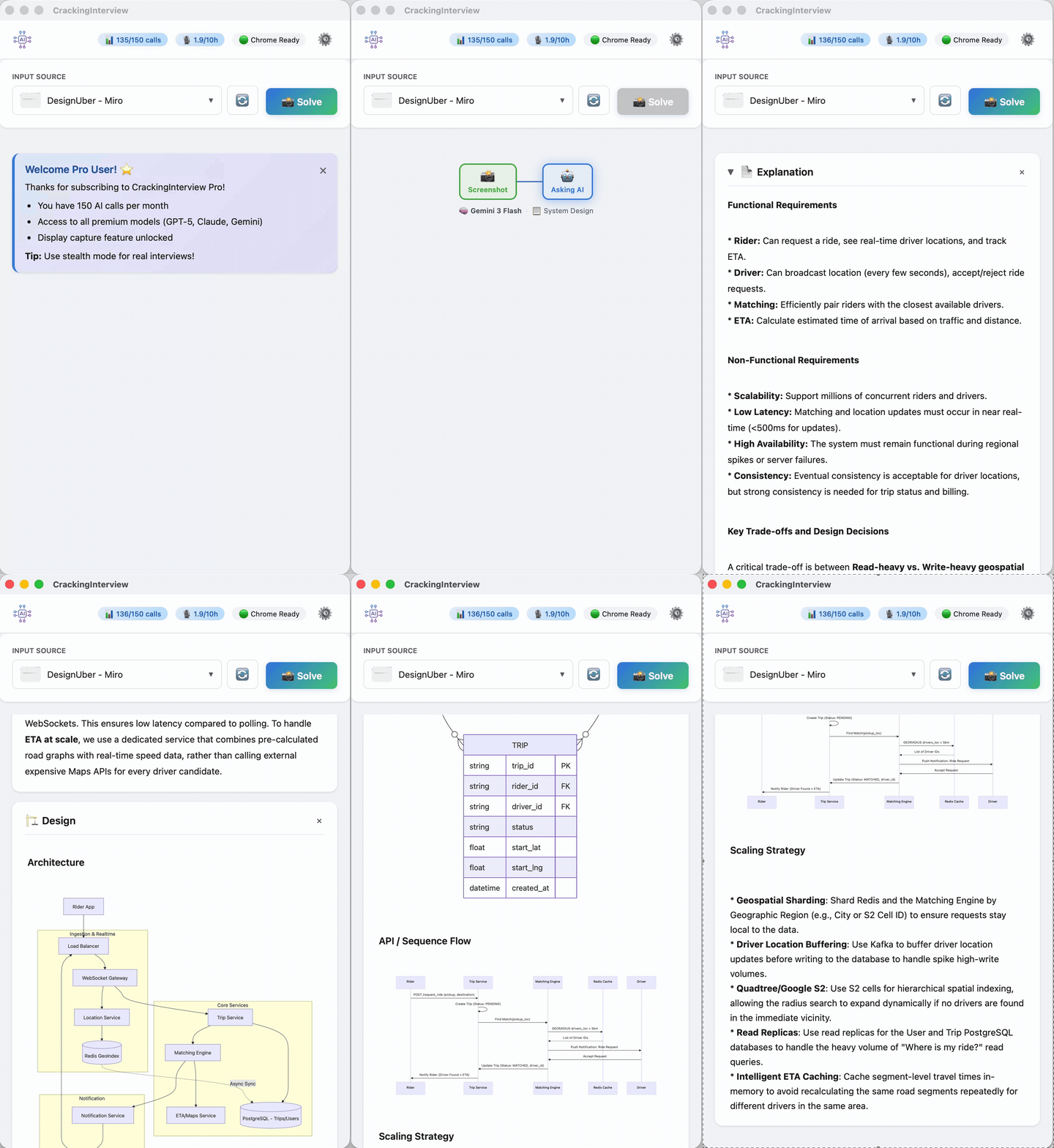
System design — architecture diagrams with Mermaid rendering
System Design

Architecture & Diagrams

Get full system designs with rendered architecture diagrams, ER models, sequence flows, and scaling strategies — not just text.

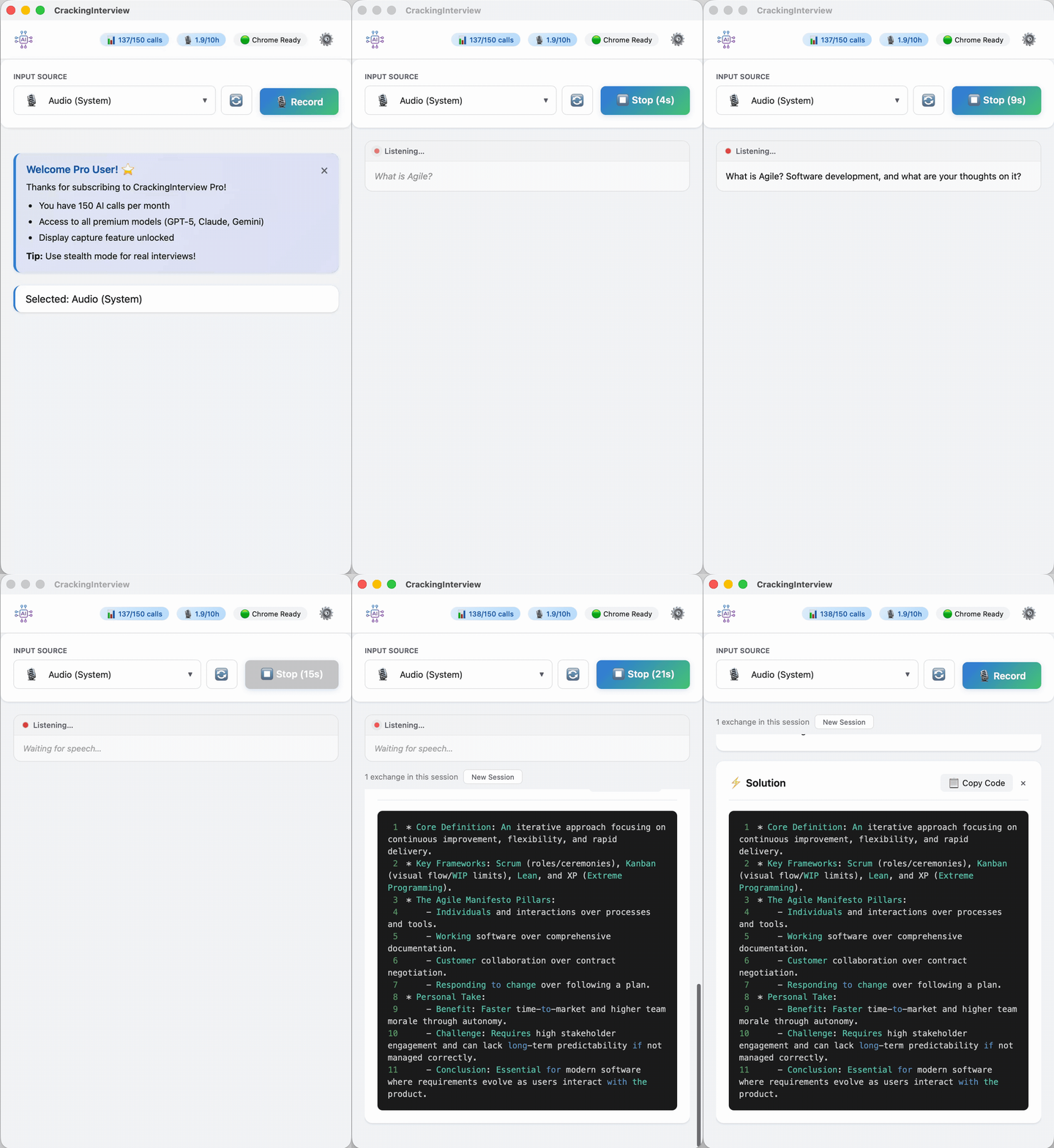
Audio recording — system audio capture for verbal interviews
Verbal Interview

Audio Transcription

Record system audio and get real-time transcription with AI-powered structured answers — supports 20+ languages including English, Spanish, French, German, and more.

How It Works

Four simple steps to go from problem to solution.

1

Connect Chrome

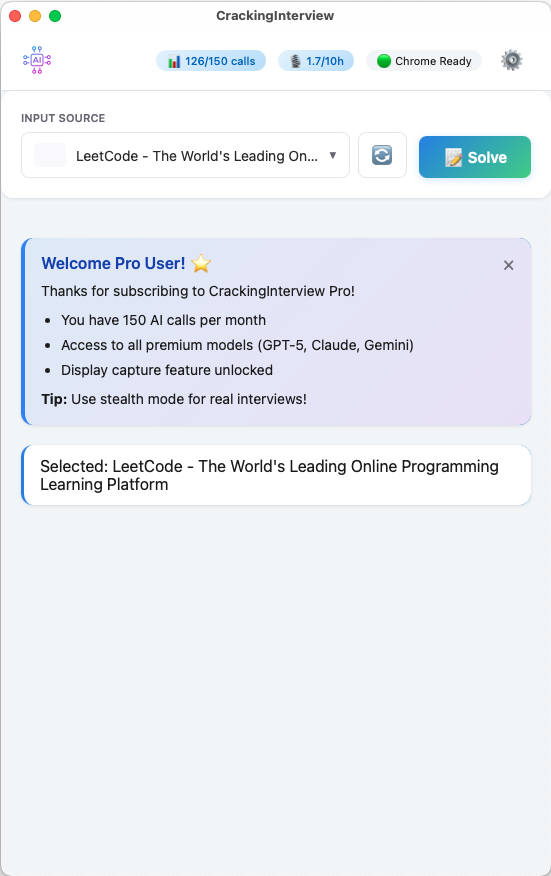
Click Open Chrome in the header. The app launches a Chrome window connected via DevTools Protocol. The header shows "Chrome Ready" when connected.

Main screen with Chrome Ready status
2

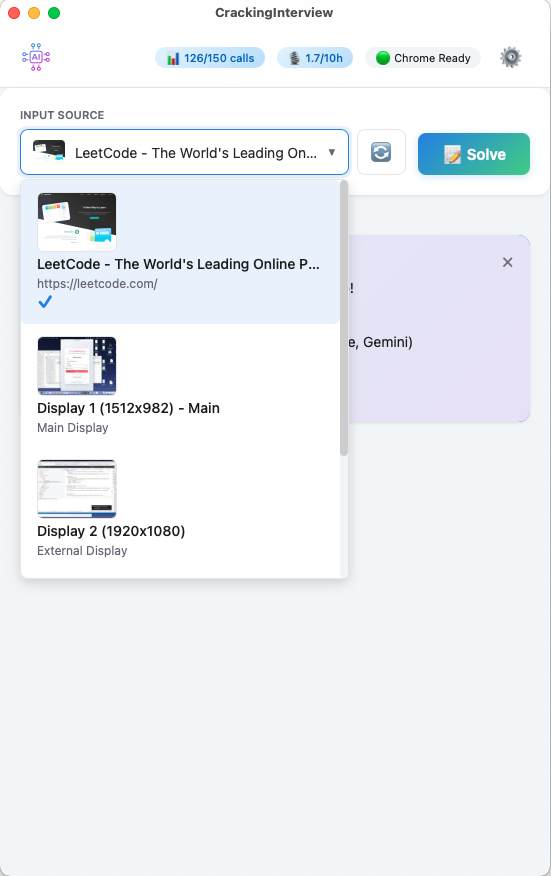
Select Your Input Source

The dropdown shows all open Chrome tabs with live thumbnails, your display screens for full-screen capture, and Audio for verbal interviews. Pick the source you want to analyze.

Input source dropdown showing Chrome tabs, displays, and audio
3

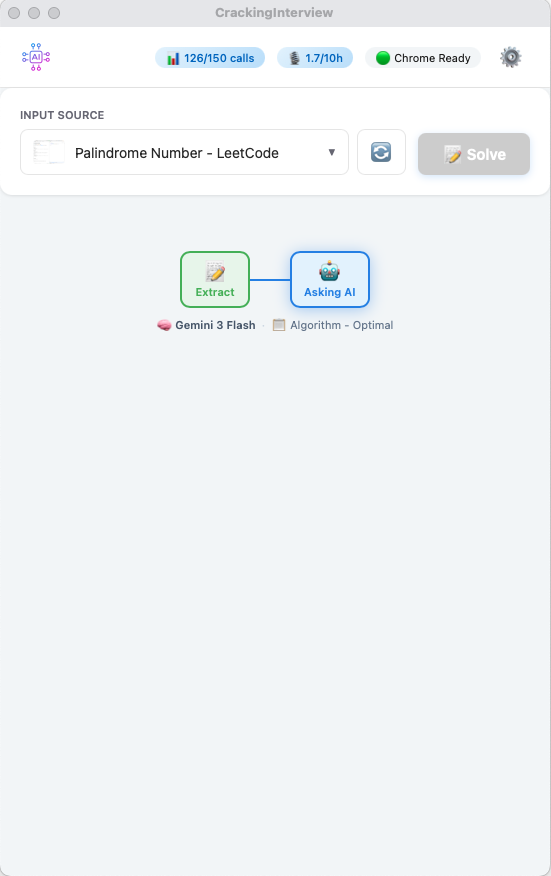
Hit Solve

Press Solve or use a global hotkey. The app extracts the problem and sends it to a premium AI model. A live progress stepper shows the model and prompt being used.

Progress stepper showing Extract and Asking AI steps
4

Get Your Answer

Within seconds you get a concise Explanation with the approach and complexity analysis, plus a complete Solution with syntax-highlighted, copy-ready code.

AI solution with explanation, complexity analysis, and code

Powerful Customization

Fine-tune every aspect of your AI assistant.

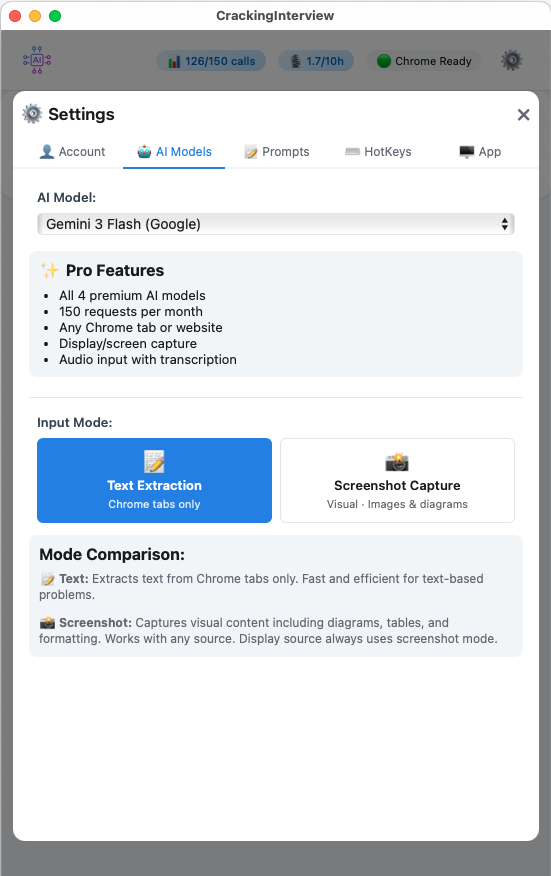
AI Models settings — 4 premium models

Premium AI Models

Choose from GPT-5, Claude Sonnet, Gemini 3 Flash, and Grok. Switch between Text Extraction and Screenshot Capture modes.

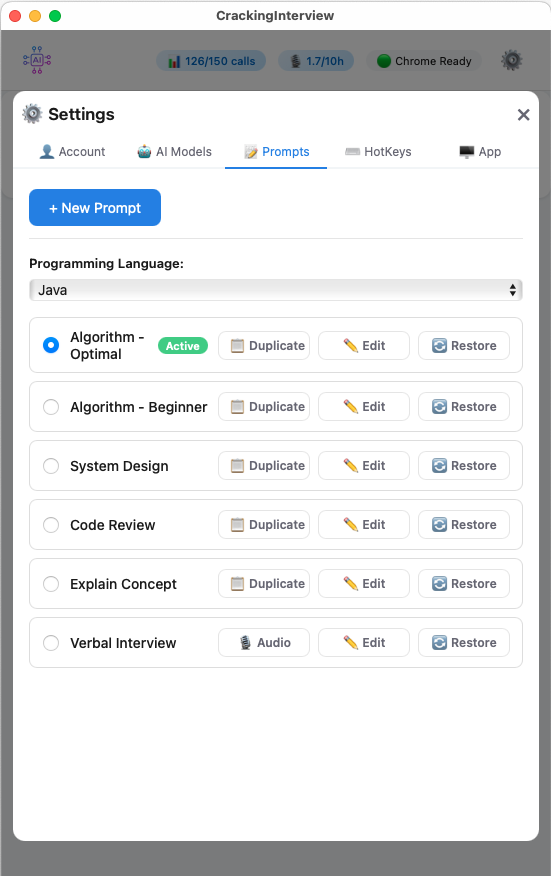
Prompts settings with 6 built-in prompts

Custom Prompts & Document Upload

6 built-in prompts for algorithms, system design, code review, and more. Edit system and user prompts, create your own, or upload documents (resume, cover letter) as reusable placeholders.

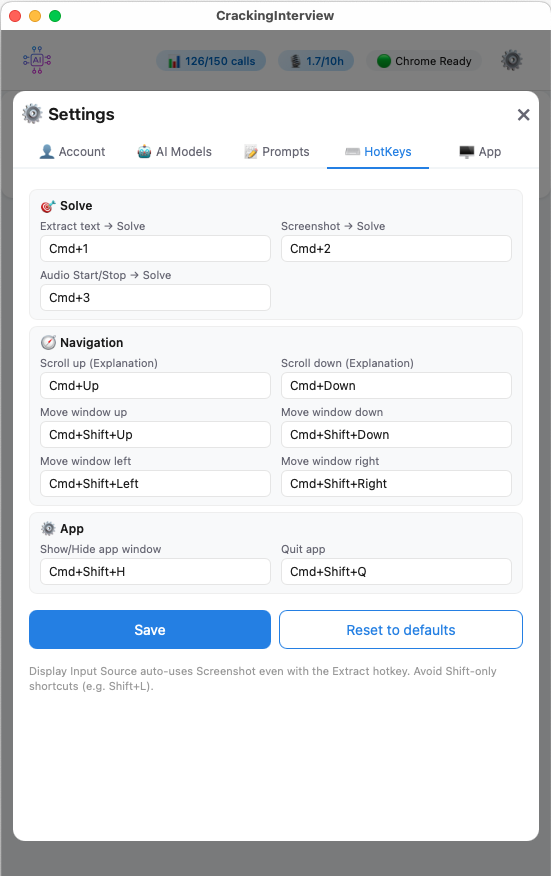
Fully customizable global hotkeys

Global Hotkeys

Fully customizable keyboard shortcuts that work even when the app is in the background. Solve, navigate, and control without switching windows.

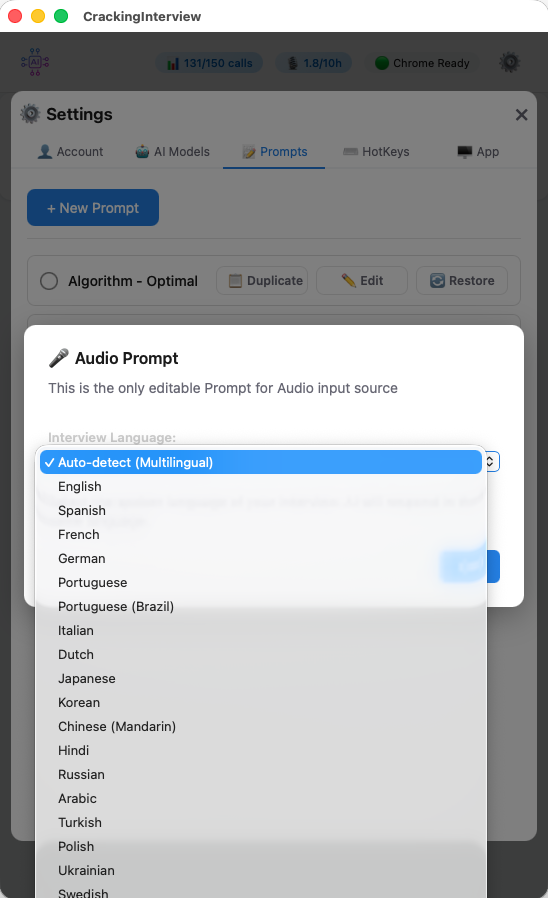
Audio language selection with 20+ languages

20+ Languages

Record system audio and get AI-powered transcription and answers in English, Spanish, French, German, Japanese, Korean, Chinese, Hindi, Arabic, and many more.

Always on Top

The app window stays above all other windows so your AI assistant is always visible while you work.

Text Extraction

Extract problem text directly from Chrome tabs — fast and accurate for text-based coding problems.

Screenshot Capture

Capture browser tabs or your entire screen. Perfect for problems with images, diagrams, or tables.

Audio Transcription

Record system audio for verbal interview practice. AI transcribes and responds in real time — 20+ languages supported.

Resume Upload

Upload your resume, cover letter, or any document. Use placeholders in prompts to inject document content as AI context.

Bring Your Own Key

Free users can enter their own API key for unlimited AI calls — no subscription required.

Plans

Start free. Upgrade when you're ready.

Free

  • 3 AI calls to try the app
  • Bring your own API key for unlimited use
  • Chrome tab input (coding practice sites)
  • Text extraction and screenshot
  • Custom prompts and hotkeys
  • Document upload placeholders
POPULAR

Pro — $15/mo

  • 150 AI calls per month
  • 10 hours of audio recording
  • All 4 premium AI models included
  • All input sources (any website, display, audio)
  • No domain restrictions
  • Priority support

Subscription is managed through the app after download.

Ready to Ace Your Next Interview?

Download CrackingInterview for free and start practicing in seconds.