Pass Your Job Interview with AI

Free to start — Pro at $15/month.

AI-powered solutions for coding, system design, and verbal interviews. Extract problems, capture screenshots, record audio — get expert-level answers.

Available on macOS and Windows
Download for Mac Download for Windows
4.9 Rating · 12,000+ Downloads · macOS & Windows · 20+ Languages
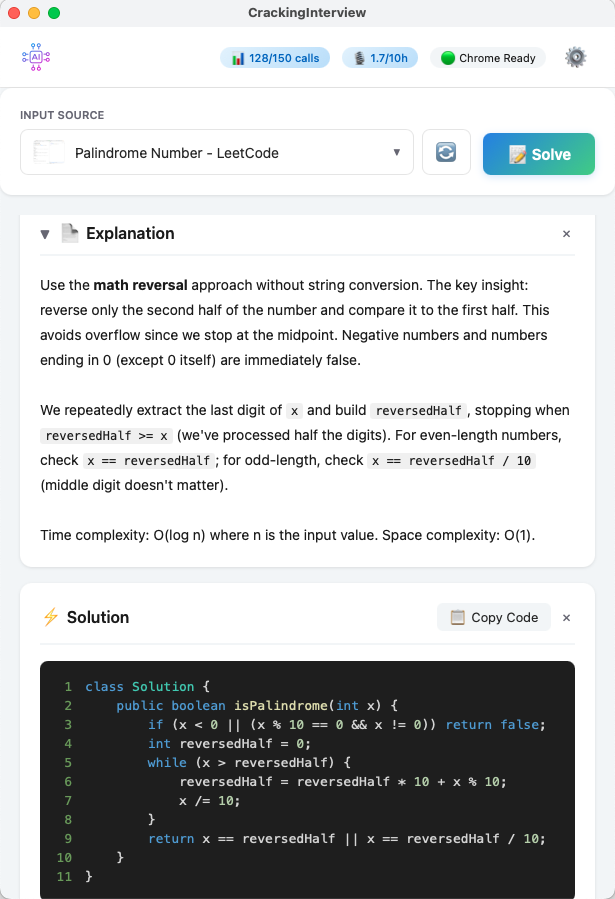
CrackingInterview — AI explanation and code solution for a LeetCode problem

Built for Any Job Interview

From algorithm puzzles to system design and live verbal interviews.

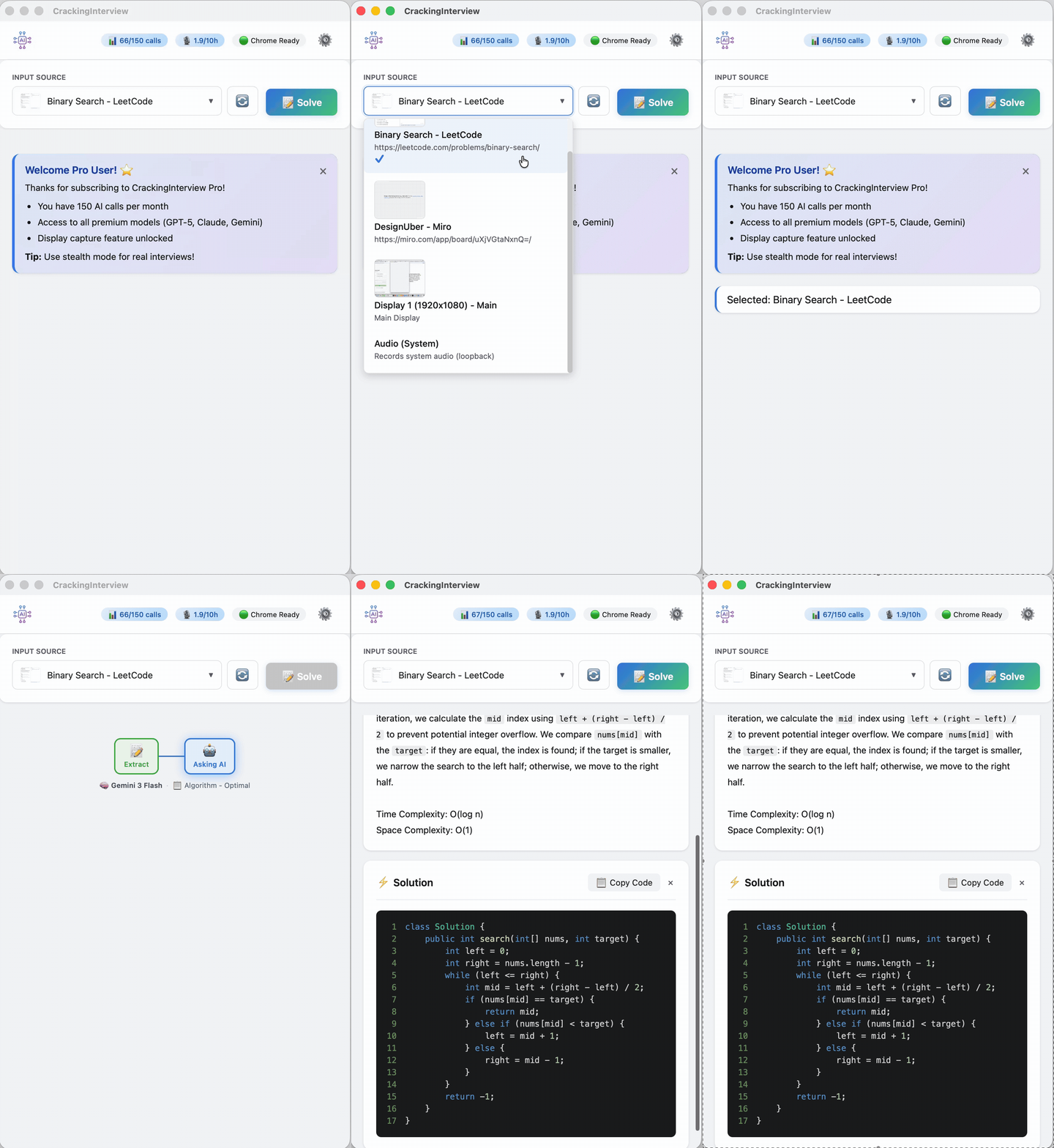
Algorithm problem — animated demo of AI explanation and solution code
Algorithm

Coding Problems

Extract text or capture a screenshot from LeetCode, HackerRank, or any site. Get optimal solutions with step-by-step explanations and complexity analysis.

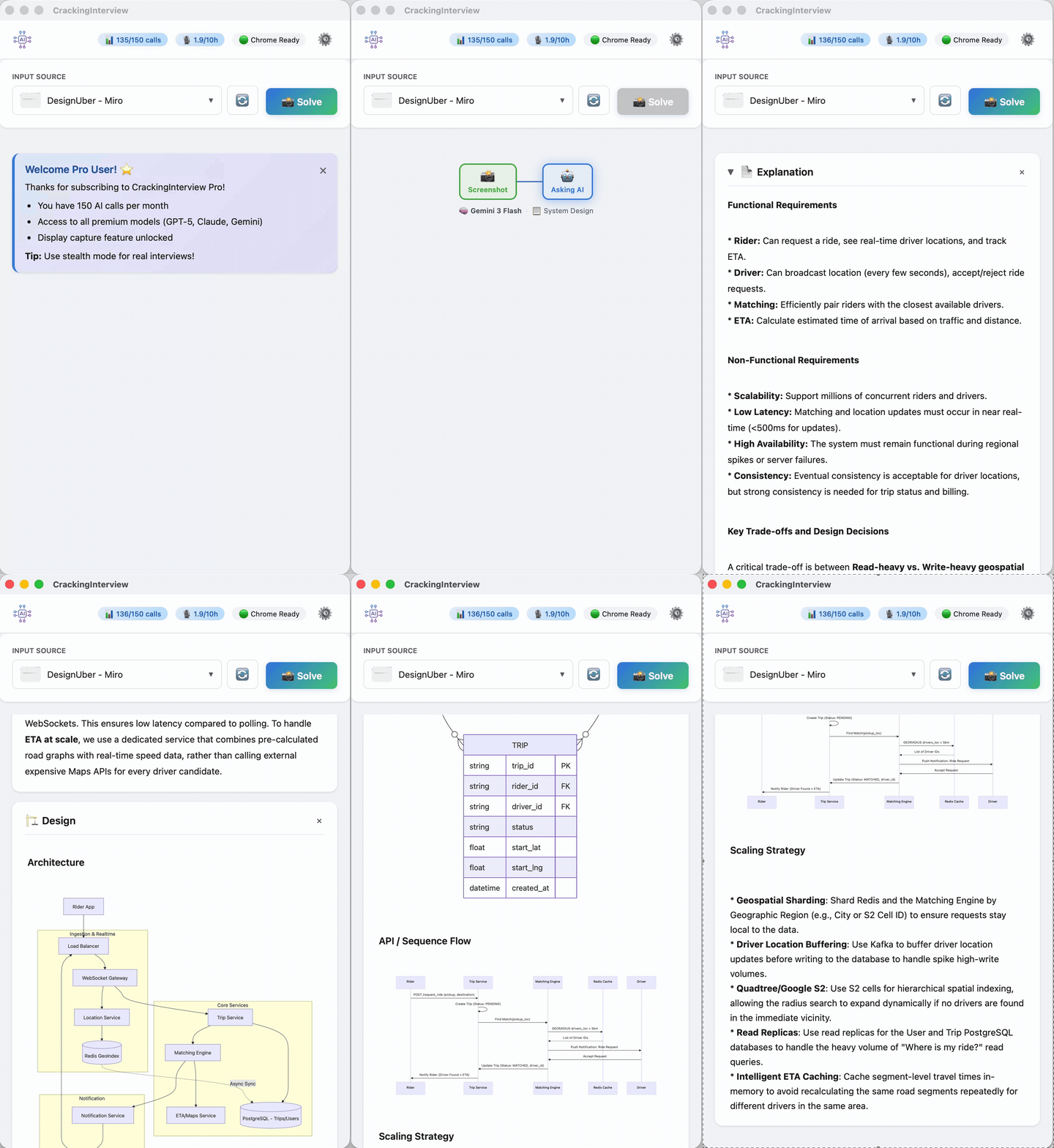
System design — animated demo of architecture diagrams with Mermaid rendering
System Design

Architecture & Diagrams

Get full system designs with rendered architecture diagrams, ER models, sequence flows, and scaling strategies — not just text.

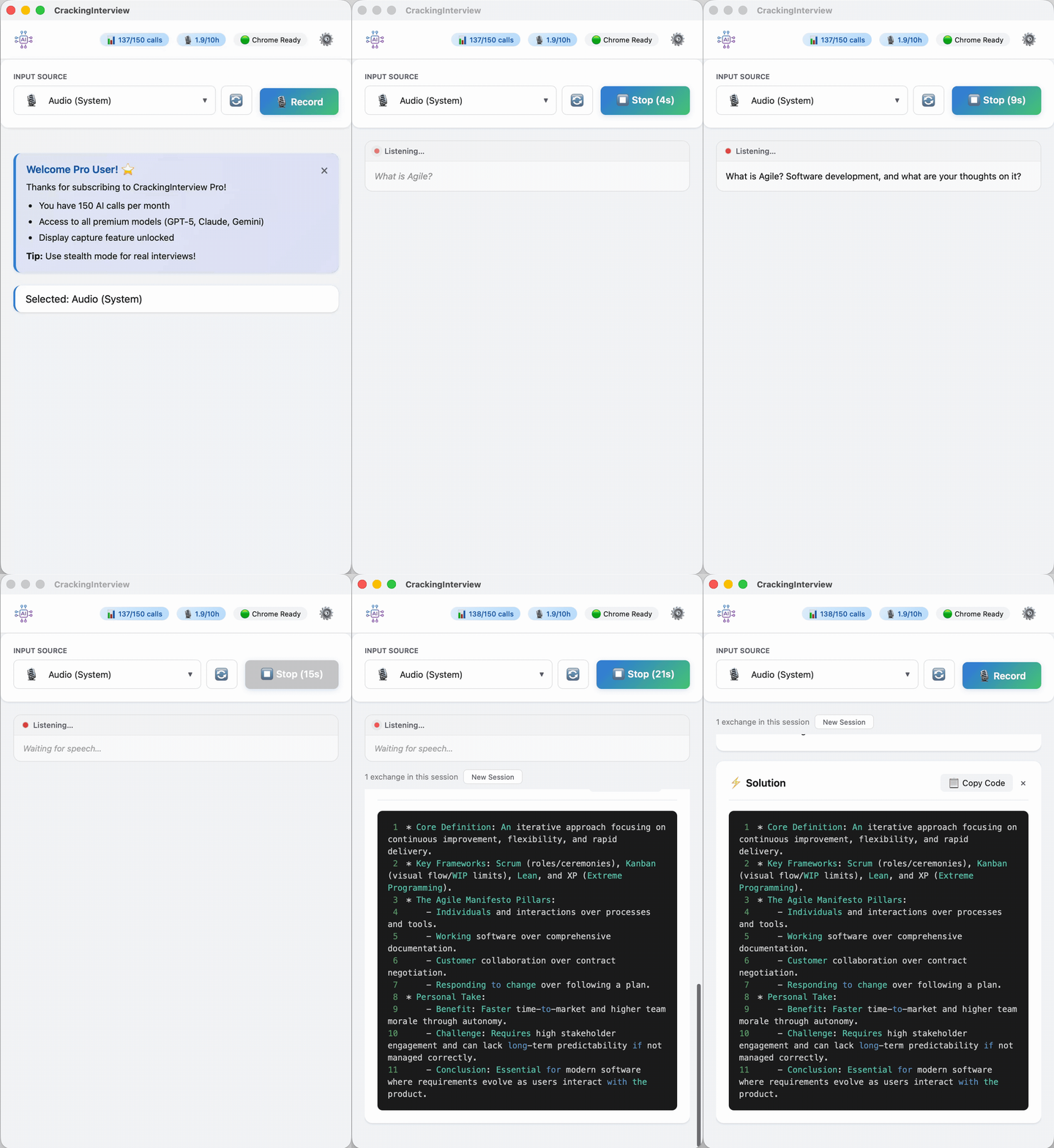
Audio recording — animated demo of system audio capture for verbal interviews
Verbal Interview

Audio Recording

Record system audio from Zoom or Teams calls. AI transcribes and responds with a structured answer — supports 20+ languages.

See It in Action

Watch a quick walkthrough of CrackingInterview solving real interview problems.

How It Works

Four simple steps to go from problem to solution.

01

Connect Chrome

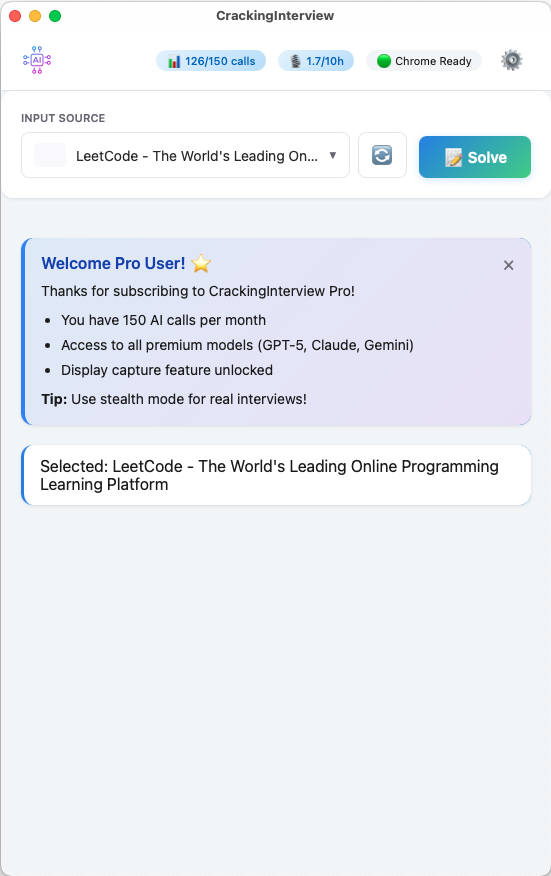
Click Open Chrome — the app connects instantly via DevTools Protocol. The header shows "Chrome Ready" when you're set.

Main screen with Chrome Ready status and LeetCode tab selected
02

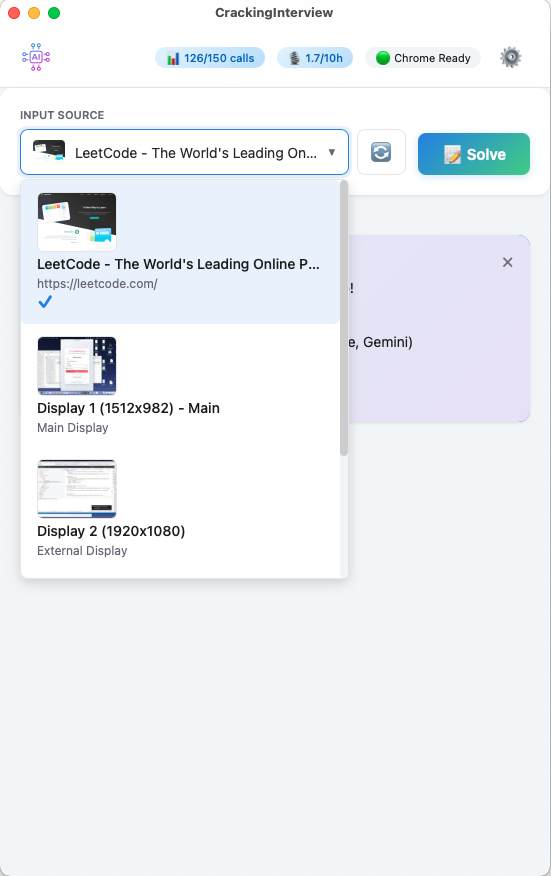
Select Your Input Source

Pick a Chrome tab, a display screen, or Audio. Live thumbnails make it instant to find the right source.

Input source dropdown showing Chrome tabs, displays, and audio
03

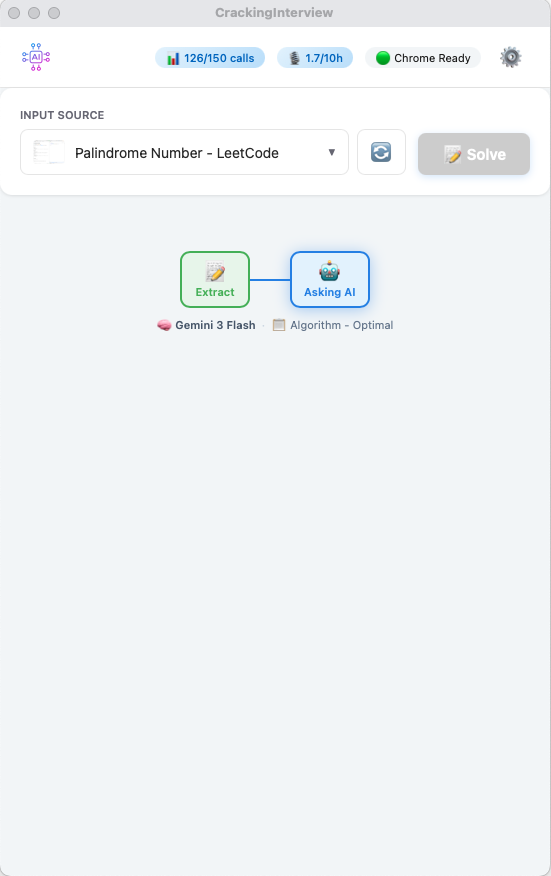
Hit Solve

Press Solve or trigger a global hotkey. A live progress stepper shows exactly which AI model is working.

Progress stepper showing Extract and Asking AI steps with model info
04

Get Your Answer

Within seconds: a clear Explanation with complexity analysis, plus a complete Solution with syntax-highlighted, copy-ready code.

AI solution with explanation, complexity analysis, and syntax-highlighted code

Powerful Customization

Fine-tune every aspect of your AI assistant.

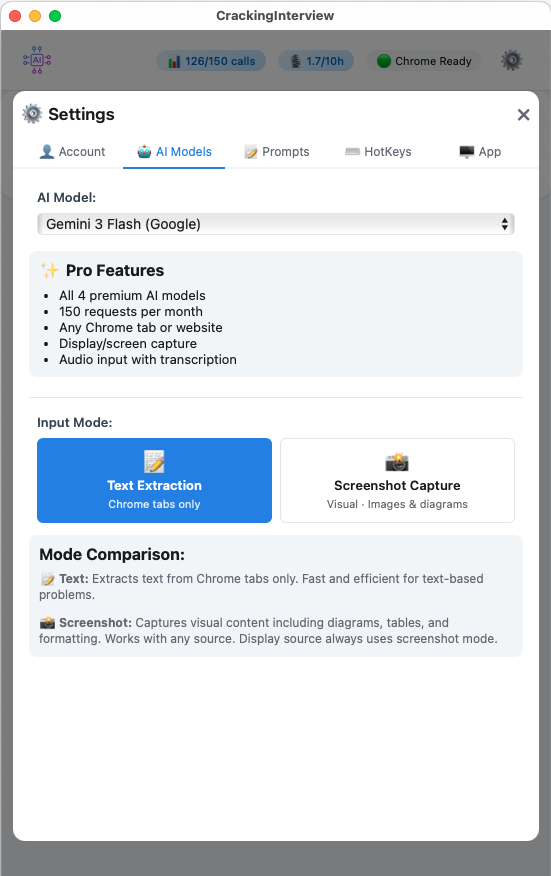
AI Models settings — 4 premium models, Text Extraction and Screenshot Capture toggle

Premium AI Models

Choose from GPT-5, Claude Sonnet, Gemini 3 Flash, and Grok. Switch between Text Extraction and Screenshot Capture modes.

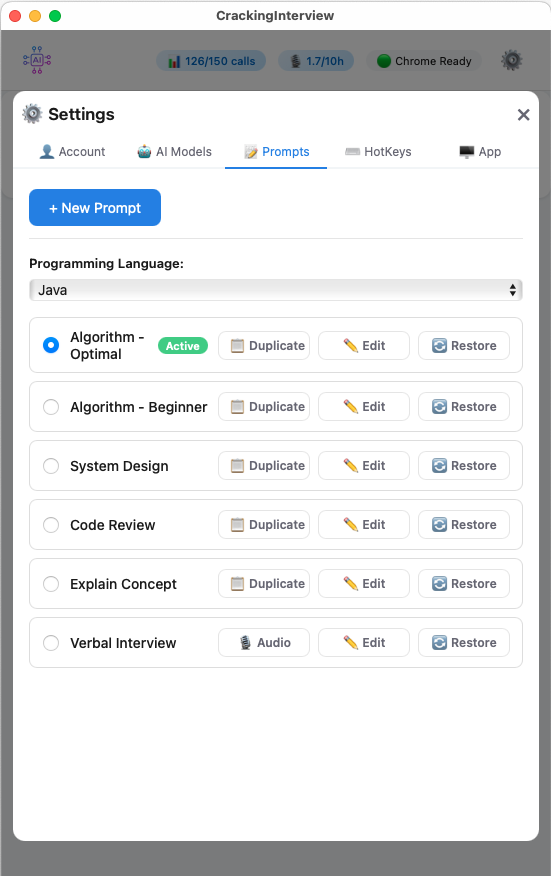
Prompts settings with 6 built-in prompts, language selection, and Upload Docs button

Custom Prompts & Document Upload

6 built-in prompts for algorithms, system design, code review, and more. Edit system and user prompts, create your own, or upload documents (resume, cover letter) as reusable placeholders.

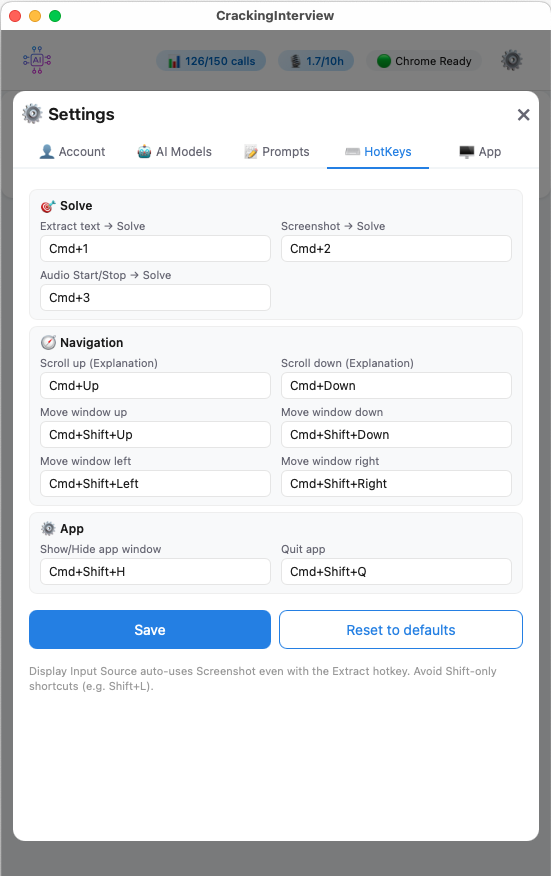
Fully customizable global hotkeys for Solve, Navigation, and App control

Global Hotkeys

Fully customizable keyboard shortcuts that work even when the app is in the background. Solve, navigate, and control without switching windows.

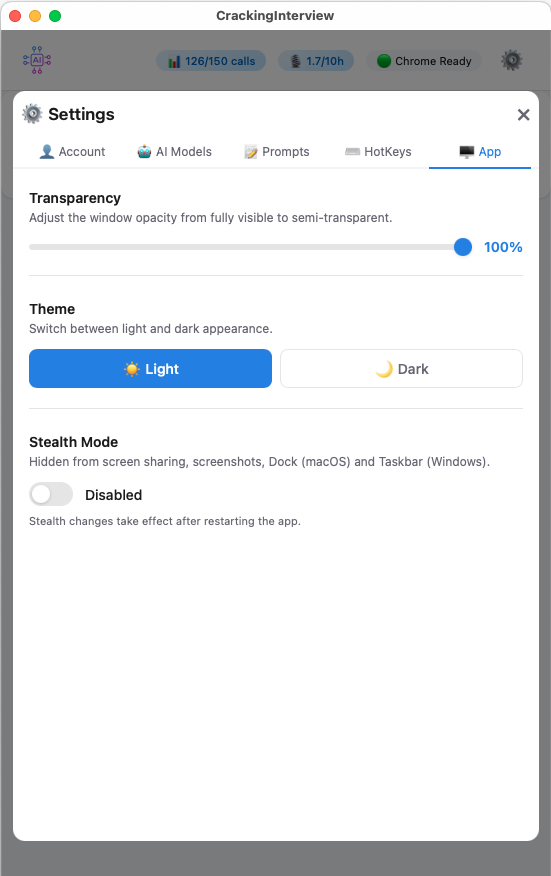
App settings — transparency slider, light/dark theme, stealth mode toggle

App Settings

Adjustable window transparency, Light/Dark theme, and Stealth Mode — hidden from screen sharing, screenshots, Dock, and Taskbar.

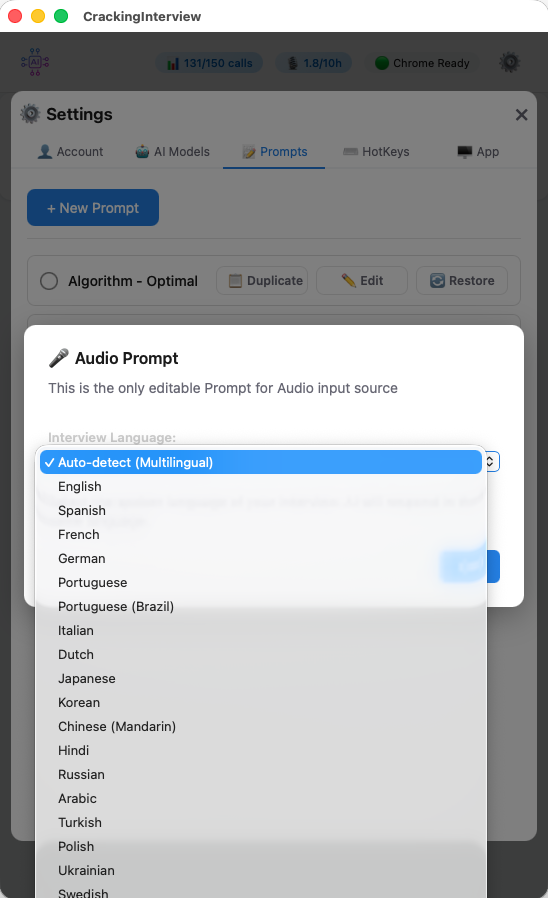
Multi-Language Audio

Record system audio from Zoom, Teams, or any application. The AI transcribes and analyzes interviews in 20+ languages — including English, Spanish, French, German, Japanese, Korean, Chinese, Hindi, Arabic, and more.

Select your interview language or let the app auto-detect it. Perfect for international candidates interviewing across borders.

  • System audio capture — no microphone needed
  • Auto-detect multilingual conversations
  • Transcription powered by Deepgram
  • Up to 10 hours of recording per month (Pro)
Audio language selection dropdown with 20+ languages

Stealth Mode

Completely invisible to Zoom, Teams, and any screen-sharing app. Hidden from screenshots, Dock, and Taskbar — no one will know it's running.

Unique Feature

Bring Your Own Key

Enter your own OpenAI or Anthropic API key and use the app free forever — no subscription, no limits. No other competitor offers this on the free tier.

Free Forever

Always on Top

Stays above all windows — always visible during your interview.

Text Extraction

Extract problems directly from Chrome tabs — fast and precise.

Screenshot Capture

Capture any tab or screen — handles images, tables, and diagrams.

Audio Recording

Record system audio — AI transcribes and responds in 20+ languages.

Document Upload

Upload your resume and inject it into any prompt with {PLACEHOLDER}.

Why CrackingInterview?

The same AI power as tools costing 10–20x more — at a price that's actually fair.

💰

10x Cheaper

InterviewCoder = $299/mo We = $15/mo

Same powerful AI. Same features. A fraction of the price.

🔑

BYOK — Free Forever

Competitors = no BYOK option We = unlimited with your key

Use your own OpenAI or Anthropic API key — pay nothing, ever.

📐

Mermaid Diagrams

Competitors = text-only answers We = rendered architecture diagrams

System design answers include real rendered diagrams — not just text.

Plans

Start free. Upgrade when you're ready.

Free

  • 3 AI calls to try the app
  • Bring your own API key for unlimited use
  • Chrome tab input (coding practice sites)
  • Text extraction and screenshot
  • Custom prompts and hotkeys
  • Document upload placeholders
POPULAR

Pro — $15/mo

vs. $299/mo at InterviewCoder · $25/mo at FinalRound

  • 150 AI calls per month
  • 10 hours of audio recording
  • All 4 premium AI models included
  • All input sources (any website, display, audio)
  • No domain restrictions
  • Priority support

Subscription is managed through the app after download. See how we compare to other tools.

Requirements

Quick setup — get running in under a minute.

Chrome

Google Chrome

Chrome must be installed. The app connects to Chrome to read tabs and extract content.

macOS Permissions

Grant Accessibility (hotkeys) and Screen & System Audio Recording (capture) in System Settings.

Windows Permissions

Allow the app through Windows Security when prompted. No additional system permissions required.

Ready to Ace Your Next Interview?

Download CrackingInterview for free and start solving problems in seconds.

User Responsibility

CrackingInterview is a productivity tool. You are solely responsible for how you use this application and for ensuring your use complies with all applicable laws, regulations, and policies. See our Terms of Service.