Your AI-Powered Technical Assistant for Interviews
Real-time AI solutions for coding, system design, and verbal interviews. Extract problems, capture screenshots, record audio — get instant, expert-level answers.
Available on macOS and Windows
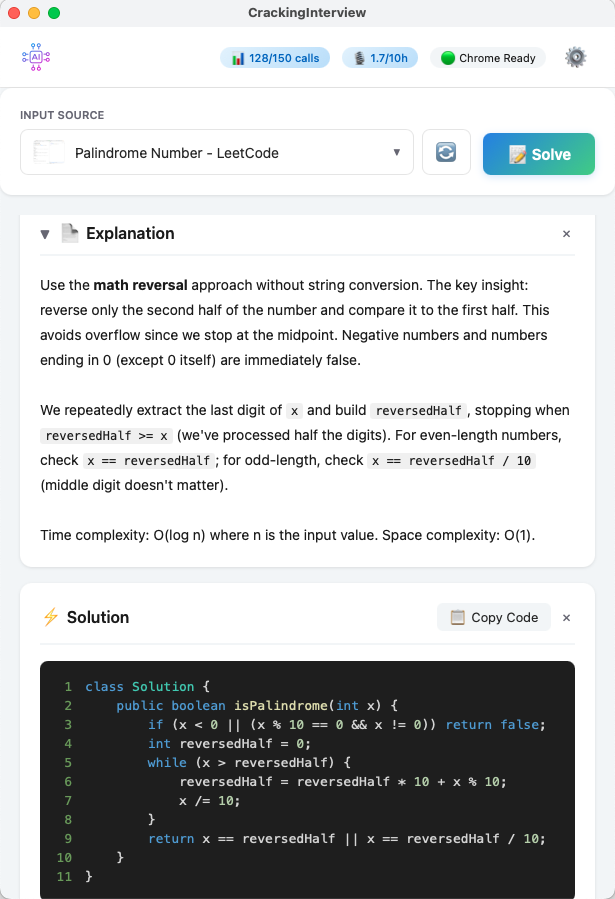
Real-time AI solutions for coding, system design, and verbal interviews. Extract problems, capture screenshots, record audio — get instant, expert-level answers.
Available on macOS and Windows
From algorithm puzzles to system design and live verbal interviews.
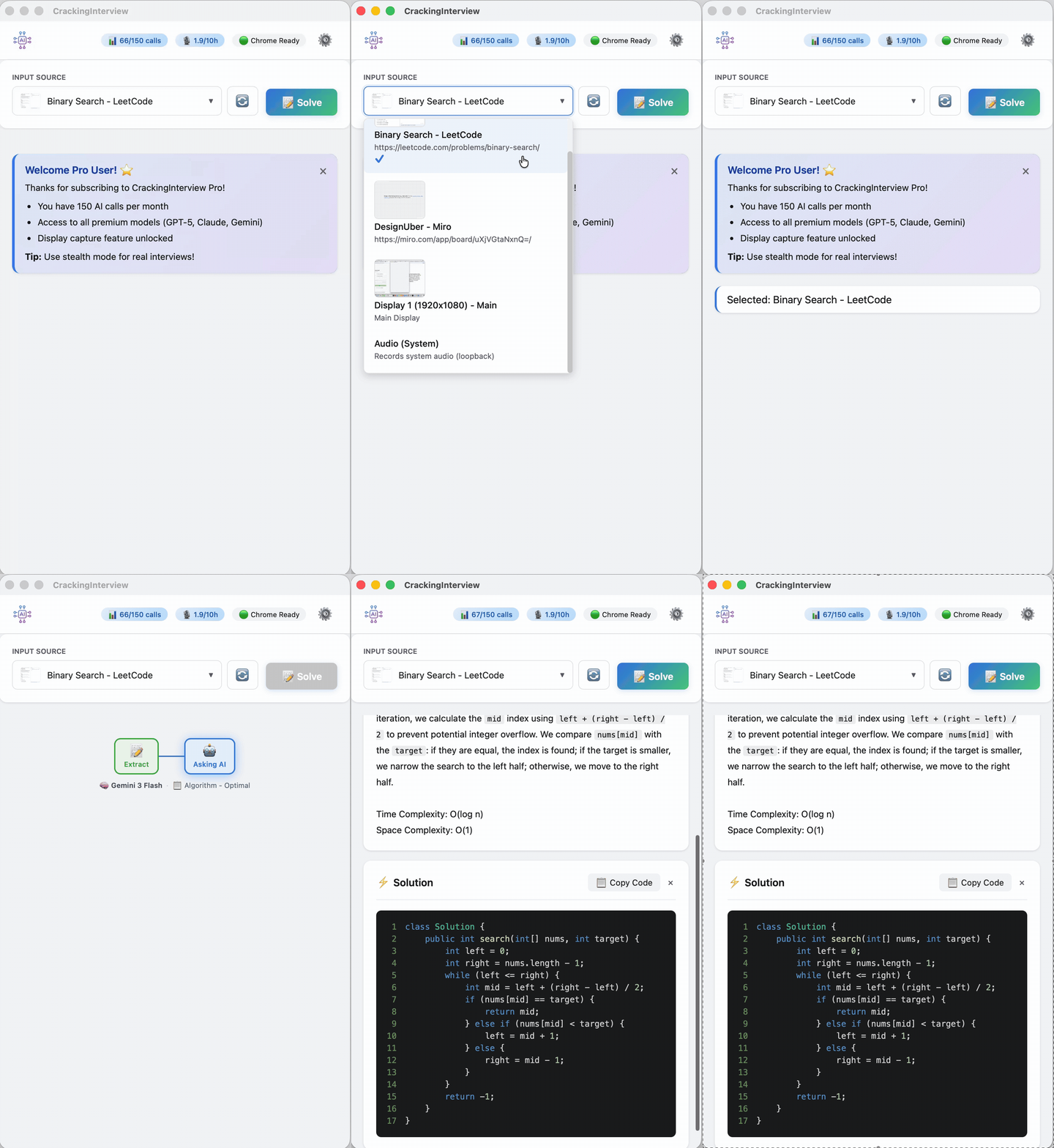
Extract text or capture a screenshot from LeetCode, HackerRank, or any site. Get optimal solutions with step-by-step explanations and complexity analysis.
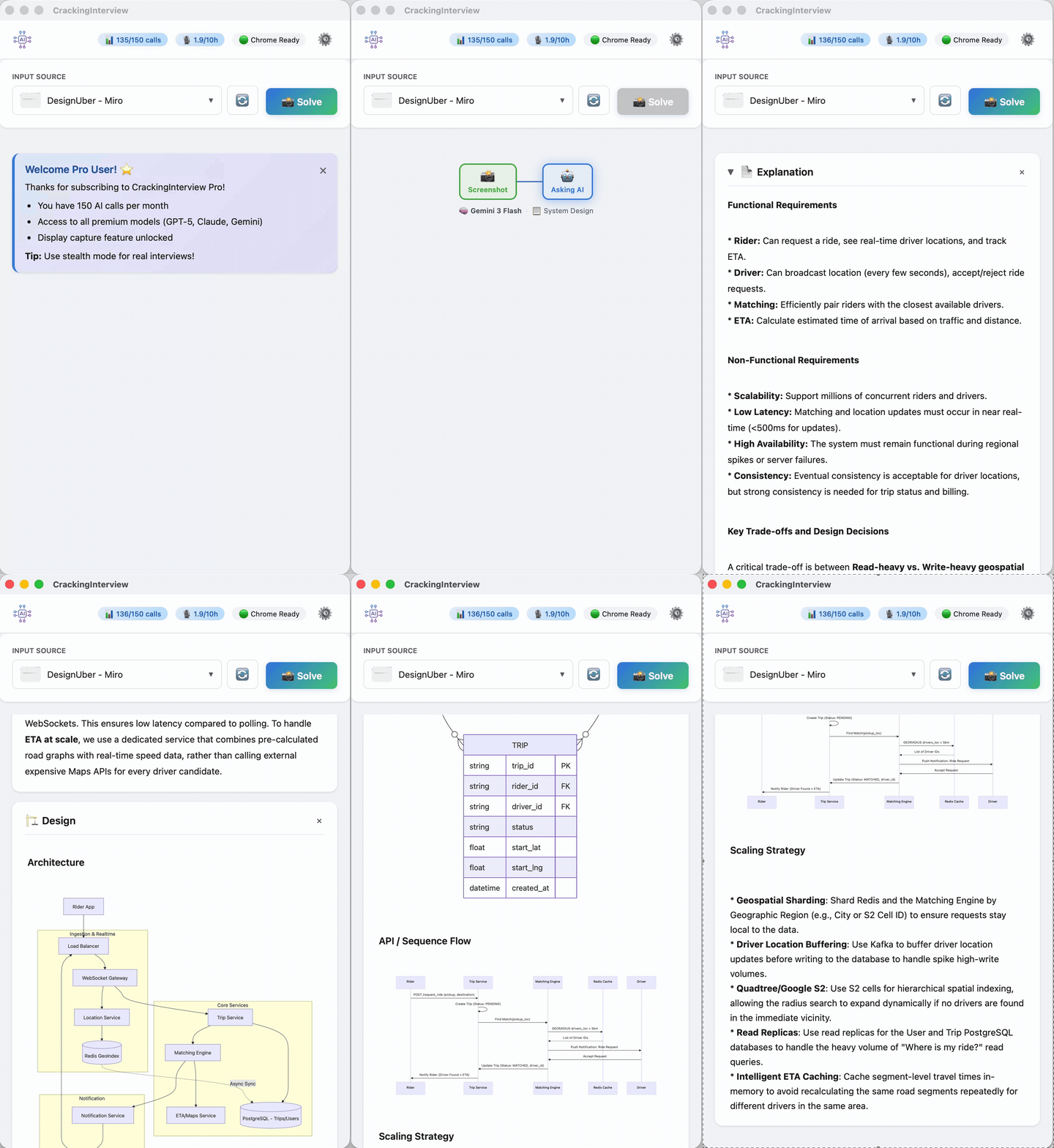
Get full system designs with rendered architecture diagrams, ER models, sequence flows, and scaling strategies — not just text.
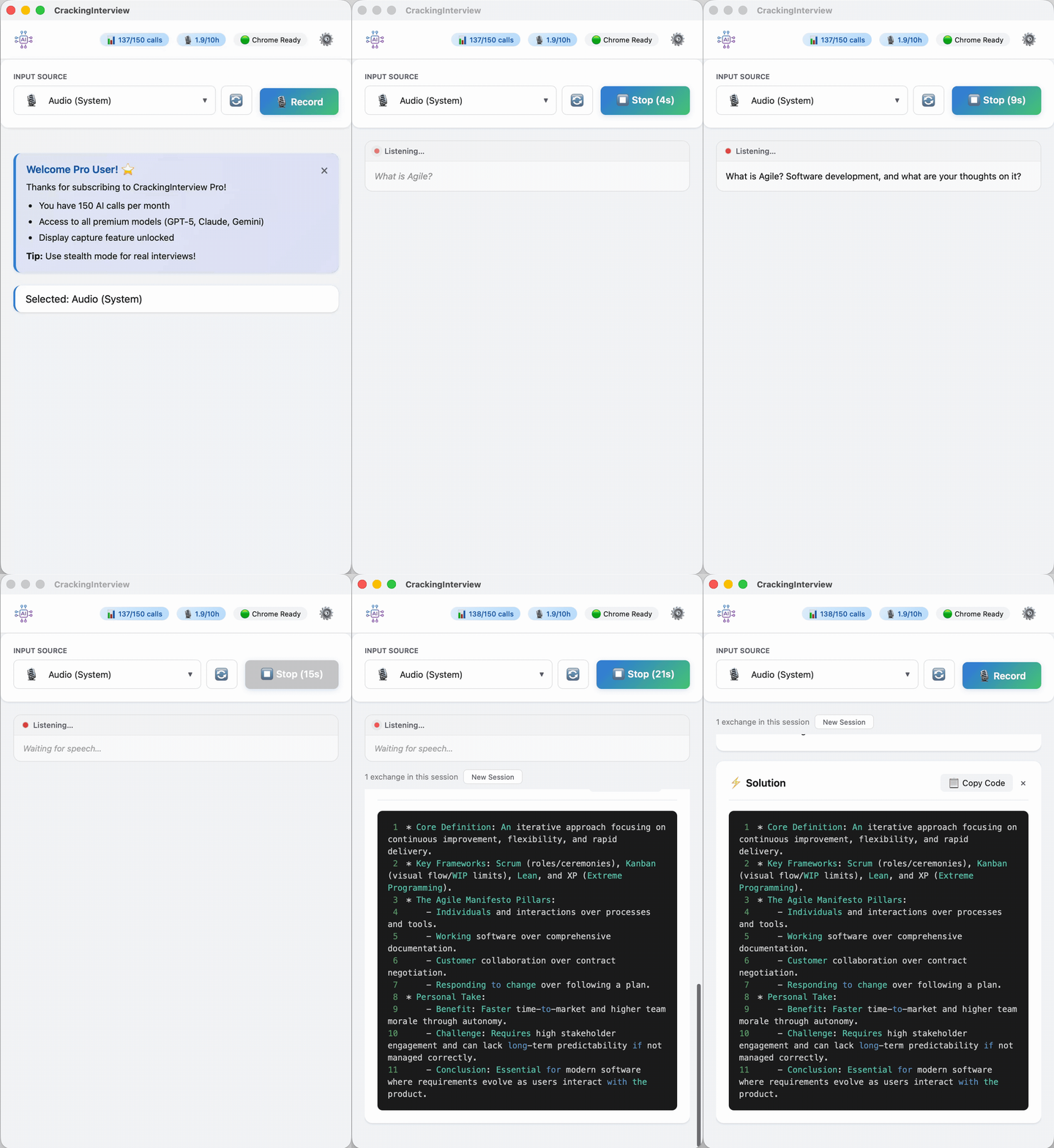
Record system audio from Zoom or Teams calls. AI transcribes and responds with a structured answer — supports 20+ languages.
Four simple steps to go from problem to solution.
Click Open Chrome in the header. The app launches a Chrome window connected via DevTools Protocol — your existing sessions stay untouched. The header shows "Chrome Ready" when connected.
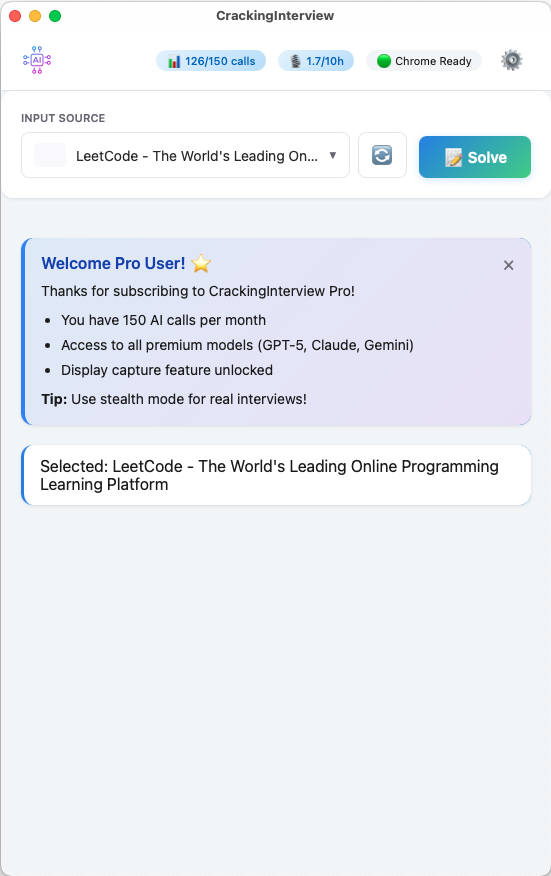
The dropdown shows all open Chrome tabs with live thumbnails, your display screens for full-screen capture, and Audio for verbal interviews. Pick the source you want to analyze.
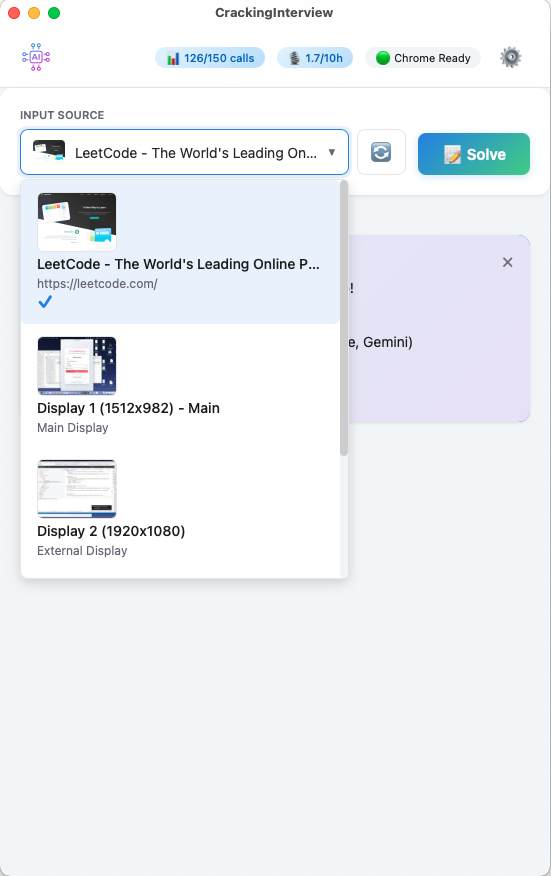
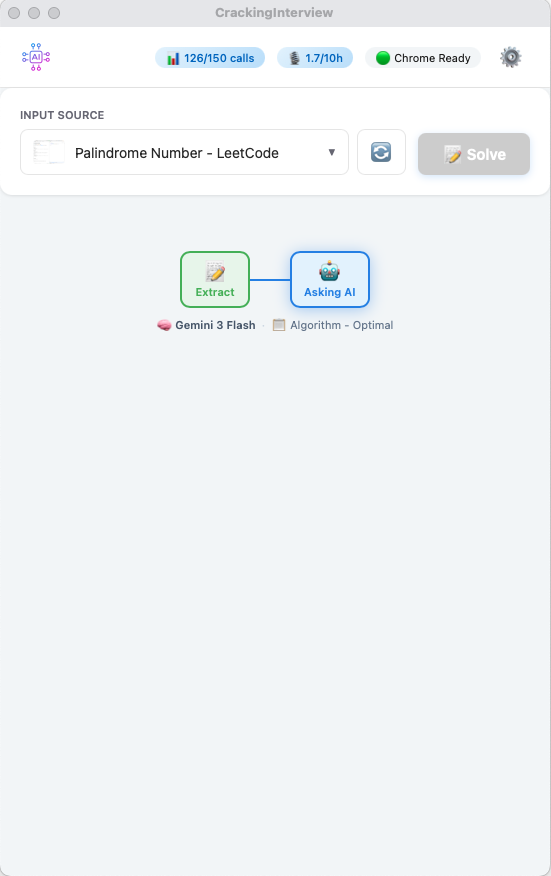
Press Solve or use a global hotkey. The app extracts the problem and sends it to a premium AI model. A live progress stepper shows the model and prompt being used.
Within seconds you get a concise Explanation with the approach and complexity analysis, plus a complete Solution with syntax-highlighted, copy-ready code.
Fine-tune every aspect of your AI assistant.
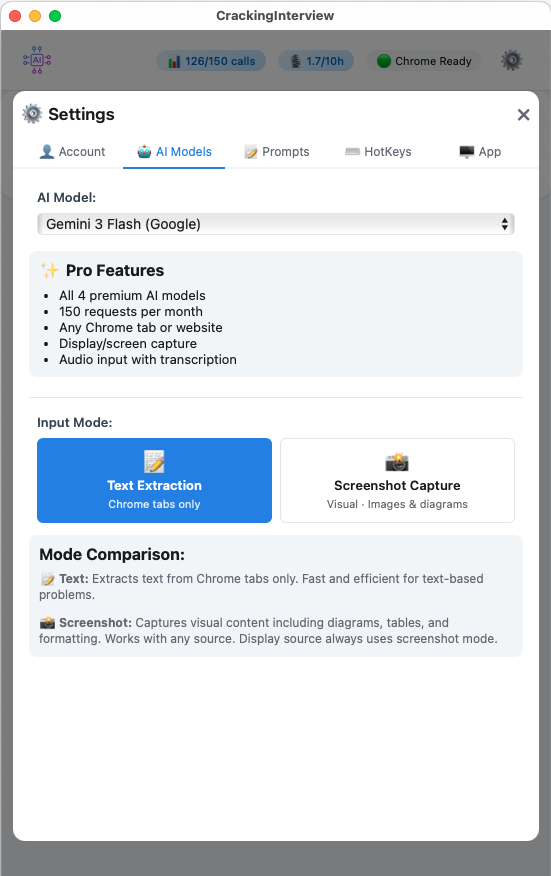
Choose from GPT-5, Claude Sonnet, Gemini 3 Flash, and Grok. Switch between Text Extraction and Screenshot Capture modes.
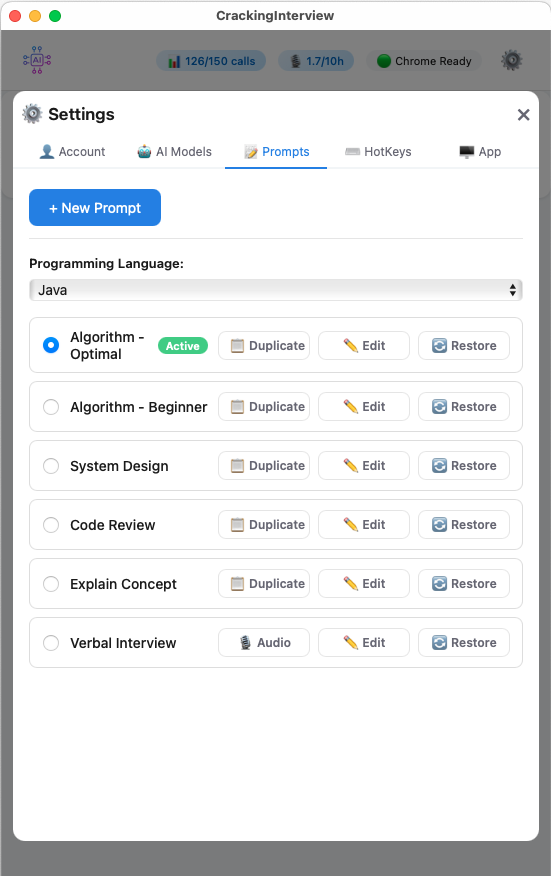
6 built-in prompts for algorithms, system design, code review, and more. Edit system and user prompts, or create your own.
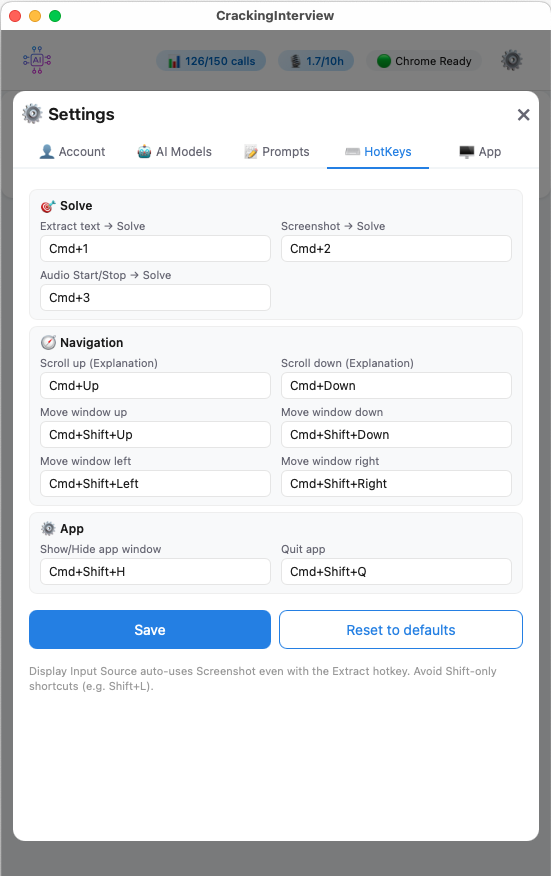
Fully customizable keyboard shortcuts that work even when the app is in the background. Solve, navigate, and control without switching windows.
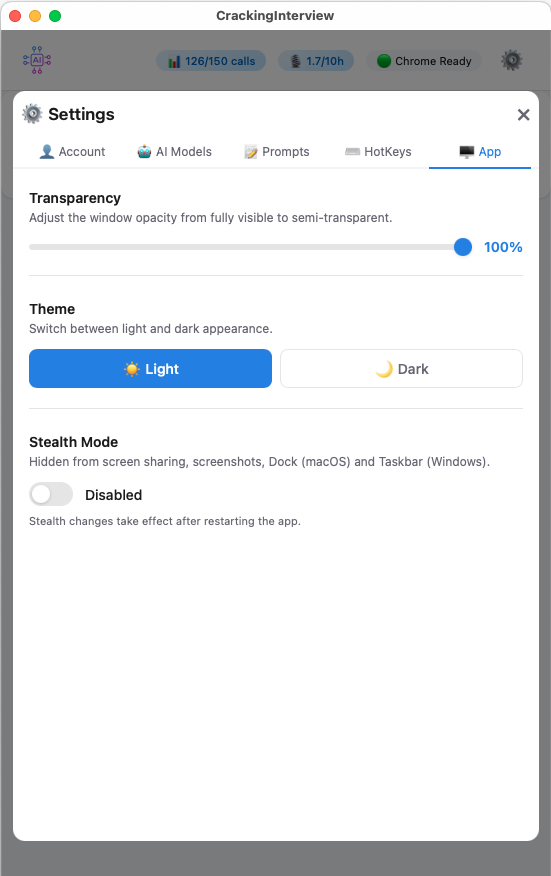
Adjustable window transparency, Light/Dark theme, and Stealth Mode — hidden from screen sharing, screenshots, Dock, and Taskbar.
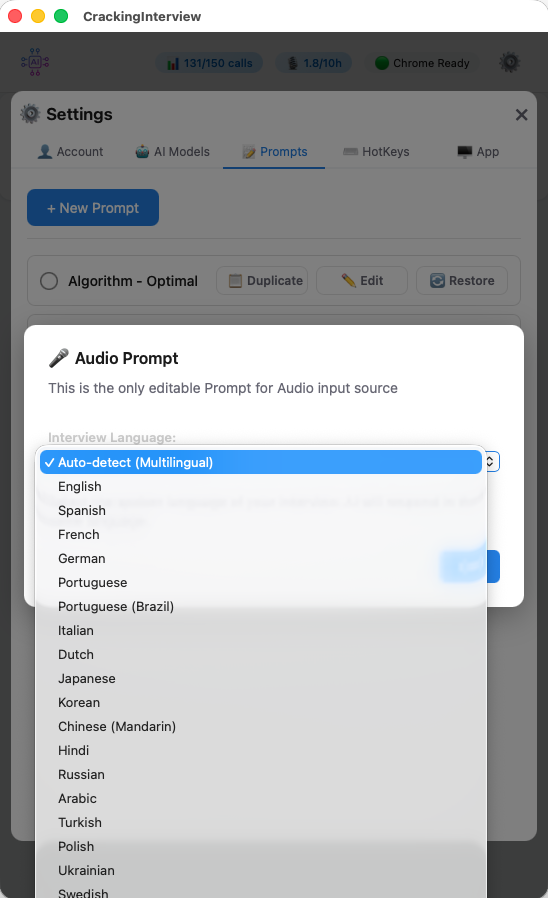
Record system audio from Zoom, Teams, or any application. The AI transcribes and analyzes interviews in 20+ languages — including English, Spanish, French, German, Japanese, Korean, Chinese, Hindi, Arabic, and more.
Select your interview language or let the app auto-detect it. Perfect for international candidates interviewing across borders.
Invisible to screen-sharing apps like Zoom and Teams. Hidden from screenshots, Dock, and Taskbar.
The app window stays above all other windows so your AI assistant is always visible.
Extract problem text directly from Chrome tabs — fast and accurate for text-based problems.
Capture browser tabs or your entire screen. Perfect for problems with images, diagrams, or tables.
Record system audio for verbal interviews. AI transcribes and responds in real time — 20+ languages.
Free users can enter their own API key for unlimited AI calls — no subscription required.
Start free. Upgrade when you're ready.
Subscription is managed through the app after download. See how we compare to other tools.
Quick setup — get running in under a minute.

Chrome must be installed. The app connects to Chrome to read tabs and extract content.
Grant Accessibility (hotkeys) and Screen & System Audio Recording (capture) in System Settings.
Allow the app through Windows Security when prompted. No additional system permissions required.
Download CrackingInterview for free and start solving problems in seconds.
CrackingInterview is a productivity tool. You are solely responsible for how you use this application and for ensuring your use complies with all applicable laws, regulations, and policies. See our Terms of Service.